

How to use Netflix Cookies to log in to Netflix?
If you have working Netflix cookies you can easily log in to Netflix for free. Don’t Worry about Netflix cookies Working Netflix cookies are added below.
To login into Netflix by using cookies you need to add an extension to your web browser.
Follow the below steps to add the extension to your browser
- Go to Chrome web store and search for cookie editor.
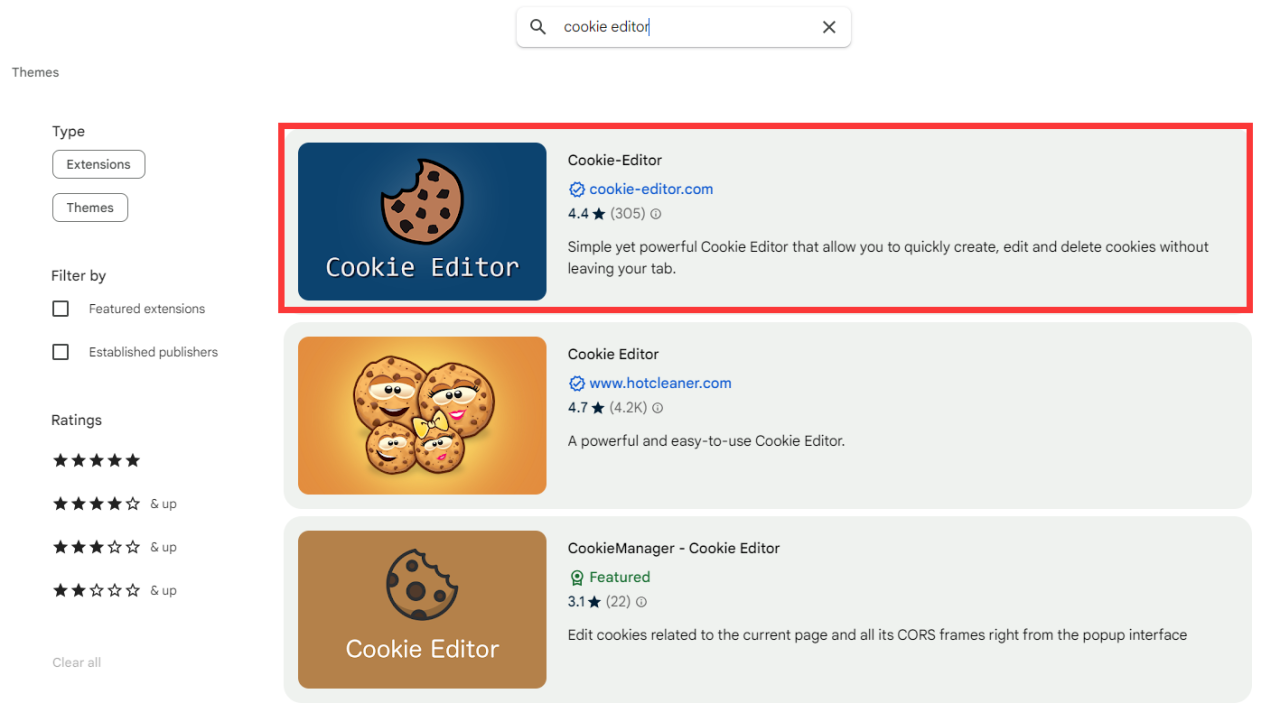
cookie editor for Netflix cookies
- Click on add to chrome and the extension will be installed on your browser.
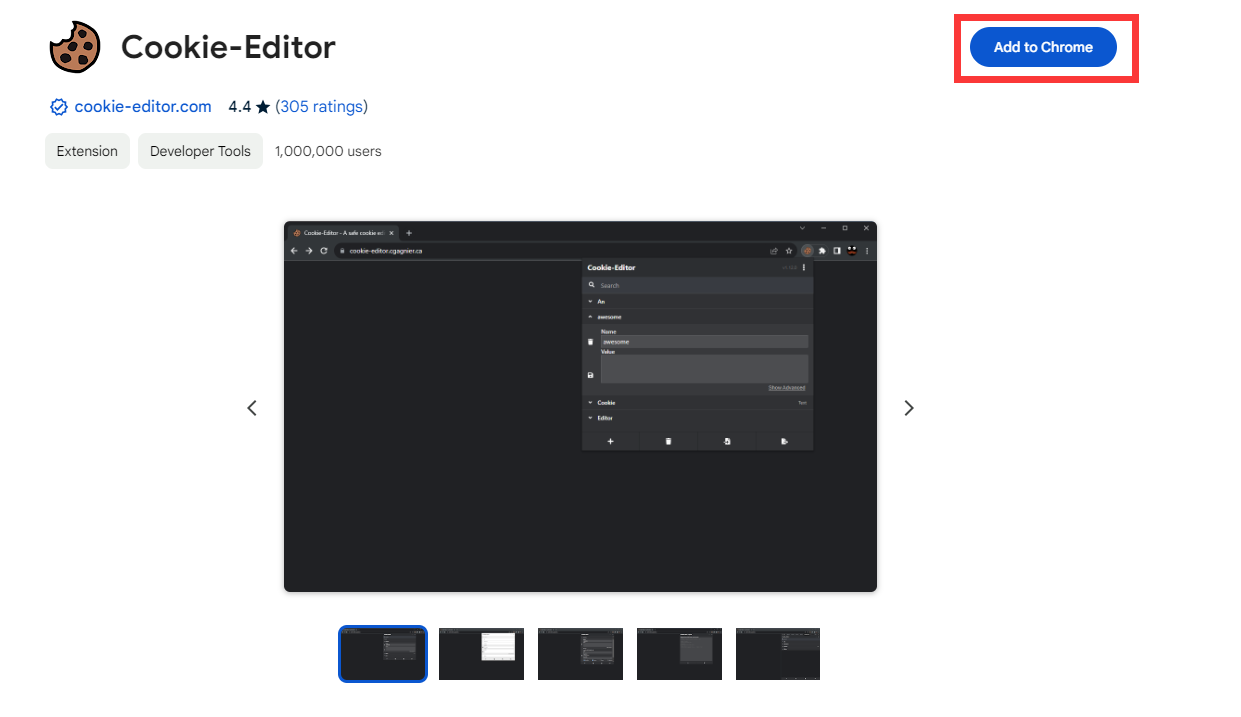
Adding cookie editor chrome extension
Adding cookie editor chrome extension
- That is it extension is installed on your browser and it’s available on the top right side of your browser.
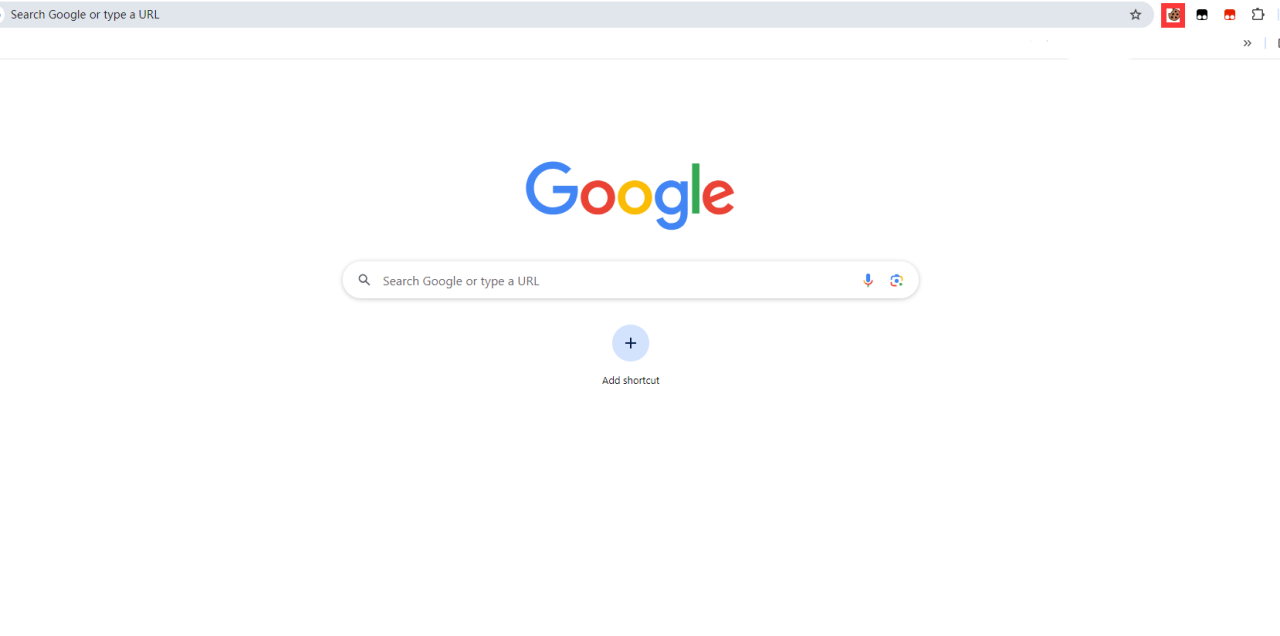
Now we added the cookie editor chrome extension to our browser. After that, we need to insert working Netflix cookies into our browser.
To insert Netflix cookies into your browser follow the below steps
- Copy cookies are given below and Go to the Netflix.com website.

- After opening the Netflix website click on the cookies editor extension in the top right section of your browser.
- Here you will see four options ( Add, Delete All, Import, and export) You need to click on delete all to clear the cookies of the Netflix website.

- Now again click on the extension and then click on the Insert option.
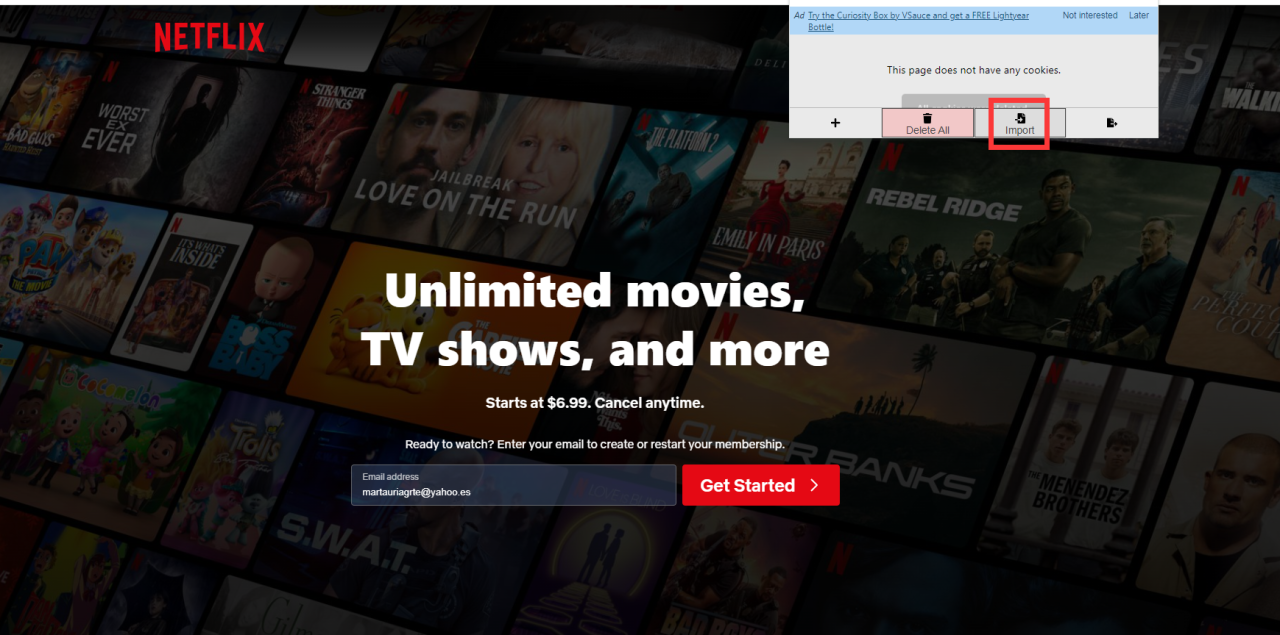
>
- Paste cookies in the given box and again click on insert.
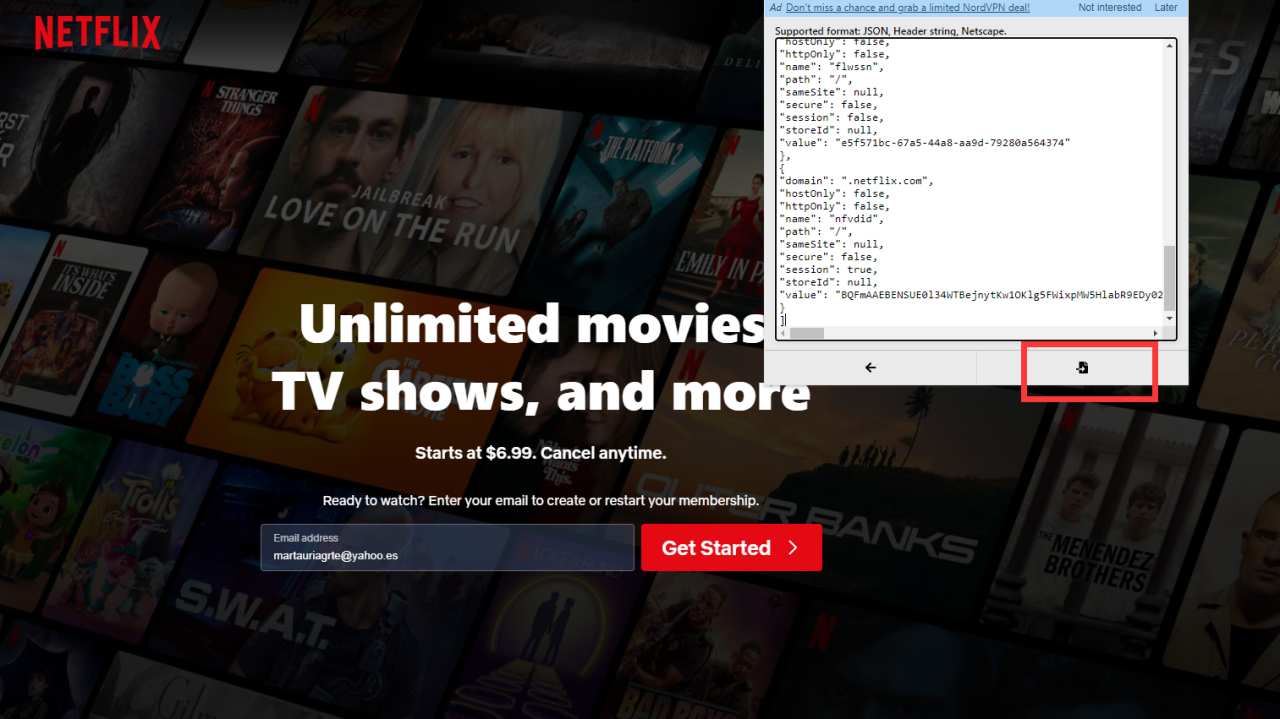
2024 Free Netflix Premium Account Cookies
- After that just refresh to page and boom you are logged into Netflix for free.

2024 Free Netflix Premium Account Cookies
END


