1.Download MegaBasterd software from THIS link (Select the file that matches your Operating System)
2.Extract the archive, and run MegaBasterd (MegaBasterd.bat file if on Windows)
3.After it Opens go to Edit>Settings
Here, at Downloads Tab you can Select Max Parallel Downloads, etc.
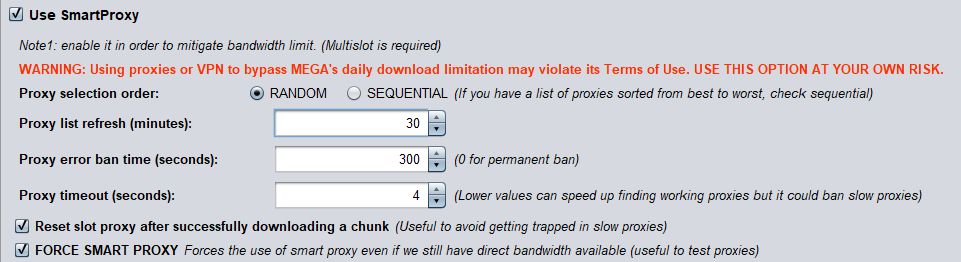
However, these settings in the picture are important, make sure they are the same:
4.The Next step is to grab some proxies
For this part, we will head towards ProxyScrape Website.
Make Sure All Settings are the same as mine (HTTP Selected ; Timeout: select between 3000ms and 4000ms ; Export Proxy Format: ip:port ; Export List as: TXT
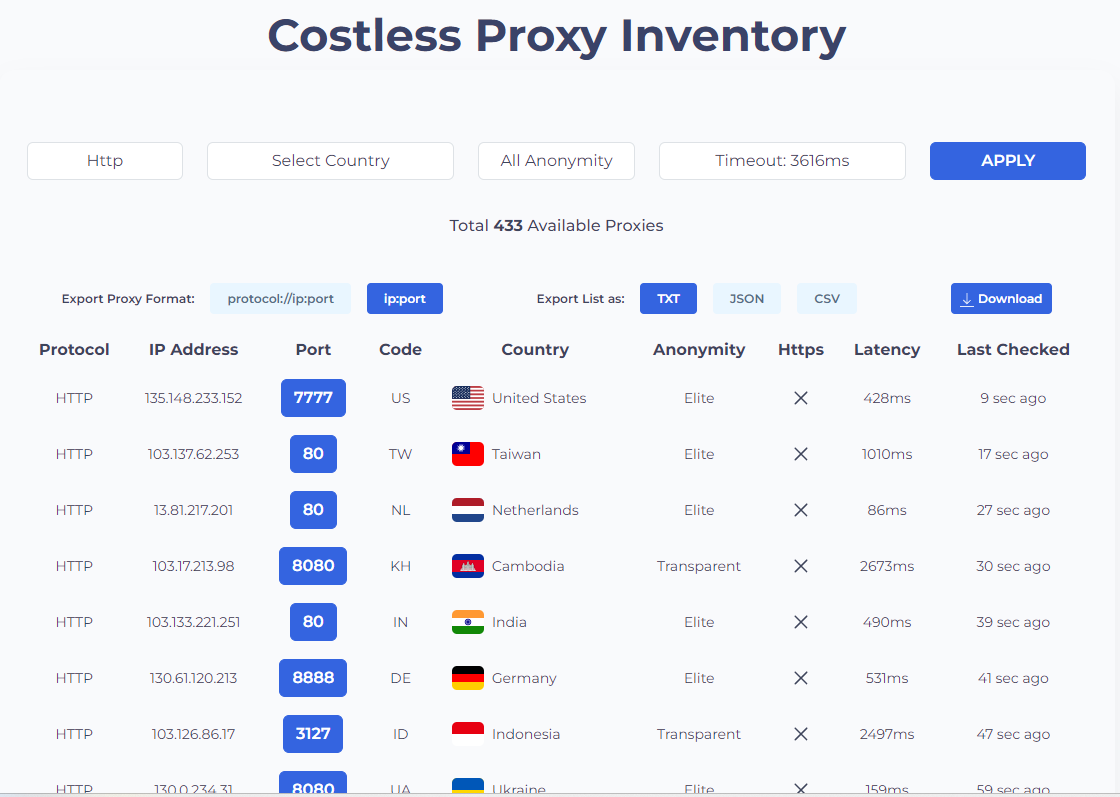
5.After you did that, press Download and Save it.
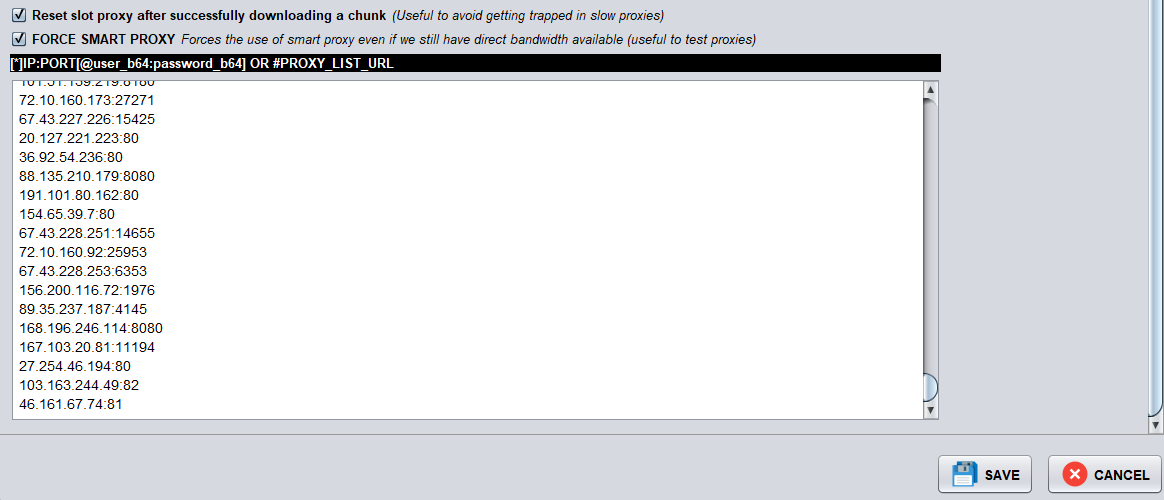
6.Now you are going to open that txt file you downloaded, select everything by pressing Ctrl + A, Copy it, and Paste here in this window, like I did, then just press SAVE:
7. Next, go to File>New Download, Paste Your Link, Change Download Location if you want and Press Let’s Dance Baby
8. After that step, Folder you are about to download will load and you will be able to See List of All The Files, and Download Size, Like so:
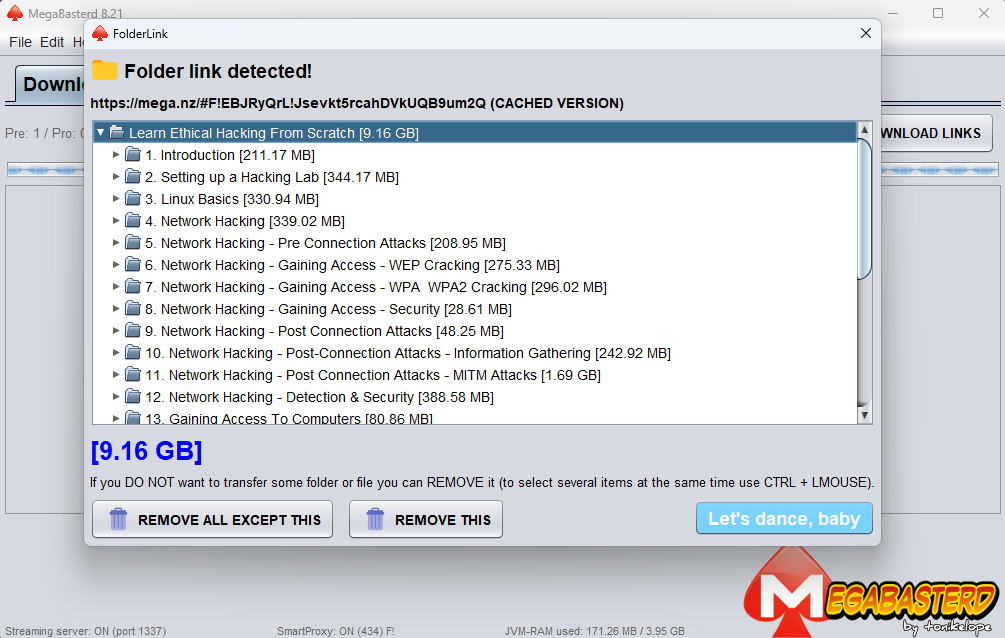
9.After that Press Let’s dance, baby again, and enjoy your downloaded content.